Hi! Hope you're doing well.
In this blog post, we will see how PostgreSQL decides which scan method to use when executing your query.
Let's get jump into this
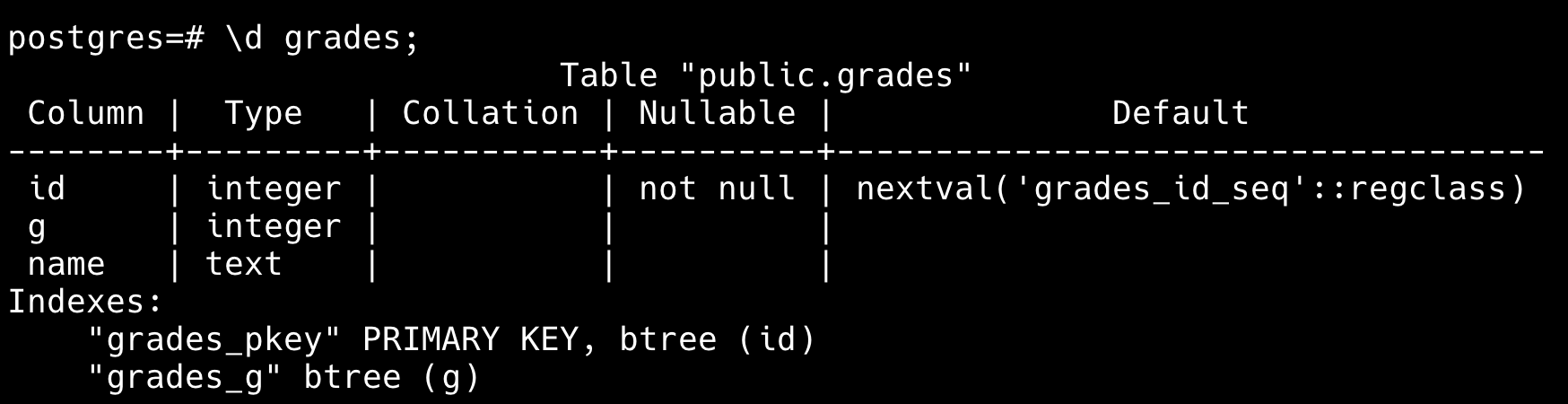
For this post we are referring to a table like this - 5M rows
Index Scan — Fastest When You Look for Specific Rows
-
An index scan happens when your query can use an index and you are fetching at least less than 1/3 of the table. So basically you are scanning the index instead of full table.
-
example query run
-
explain SELECT name FROM grades WHERE id < 100;
-
-
it will fetches 99 rows for this and guess what it gets those rows literally by travering the tree not going to each row and asking hey are you less than 100 that is silly that is expensive.

Sequential Scan - Reading the Whole Table
-
A sequential scan (a.k.a. full-table scan ) is exactly what it sounds like. Postgres reads the entire silly table, row by row by row ______ 5th million row and find out our 99 rows , that is silly right, yes! but than you will think why do anyone wanted to do full table scan, let's see another example and understand it.
-
So for our first query the winner is Index scan. What about this now ?
-
explane SELECT name FROM grades WHERE id > 100;
-
-
Hmm, think about what happens if PostgreSQL tries to use an index scan here. You’ll be making a huge number of jumps from the B-Tree (index) to the heap (table pages) on the SSD. Remember how I said index scans are great when you’re touching less than ~1/3 of the table? Well, in this case, the query touches way more than that. 5,000,000 - 100 heap fetches . Bad for disk ! Doing to much index to table.

-
So the better is to do full table scan and save your disk .
Bitmap Scan — The Middle Ground
-
So So So we saw index scan, we saw sequential scan, now you will be thinking what the heck is this bitmap scan, why do we need it, let's demestify this !
-
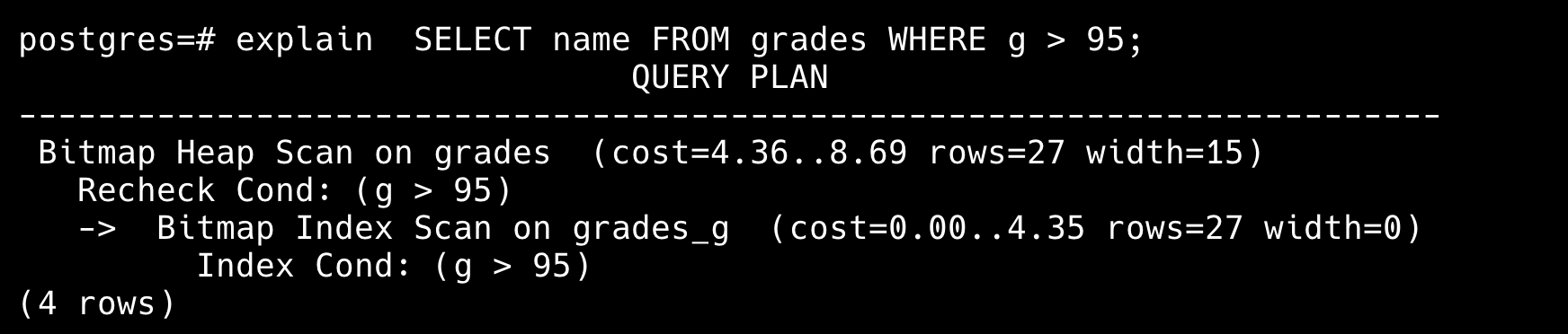
Bitmap Index Scan is used when you don't have that much rows to fetch in case of full table scan and not that less where you can try playing with index scan, so it's used for something in the middle, Very Genius.
-
let's see this query now
-
SELECT name FROM grades WHERE g > 95;
-
-
Here it will fetch 20000 rows not that much not that less
-
So here’s how it works: the database maintains an array—or a bitmap—where each index represents a page number, and every value is initially set to 0. As PostgreSQL walks the index, it marks the pages that contain matching rows by setting their corresponding bit to 1. Once all relevant pages are marked, the database fetches only those pages from the heap (table).
Alright! So that’s the whole idea. Don’t worry — you don’t have to do any of this manually. Like I said, the database is smart, so trust it to pick the best scan method for you. Alright then, bye-bye!
So --
- Index Scan > Bitmap Scan < Table Scan.
- Sequential scan (in postgres) == Table Scan.
- Parallel Sequence Scan is where your postgres spawns parallel worker threads to scan the table.
- Database do all the above stuff with the help of statistics!
credits: Hussein Nasser